

This business is a personalized nutrition ecosystem for children (age 6 months–15 years) that designs, prepares, and delivers custom meals & snacks based on:
- What We Actually Sell
- Core Users
- 2. Business Model (How Money Comes In – Practically)
- C. Pediatric & Hospital Tie-ups
- D. Add-on Revenue
- Full Business Roadmap – Step by Step (Real Execution)
- PHASE 1: Deep Ground Research (Month 1)
- PHASE 2: Product Design (Month 2)
- Step 3: Nutrition Framework Creation
- PHASE 3: Kitchen & Supply Chain Setup (Month 3)
- PHASE 4: Technology Platform (Month 3–4)
- PHASE 5: Pilot Launch (Month 4)
- PHASE 6: Marketing & Growth (Month 5–6)
- PHASE 7: Scaling the Business (Month 7–18)
- PHASE 8: Investor & Funding Strategy
- PHASE 9: Long-Term Vision (3–5 Years)
- Personalized Kids Nutrition App – Complete App Creation, UI Design & Workflow Blueprint
- 3. App Creation Roadmap (Step-by-Step in Reality)
- PHASE 1: App Planning & UX Wireframing
- 4. App UI DESIGN – SCREEN BY SCREEN
- SCREEN 2: Login / Signup
- SCREEN 3: Welcome & Trust Screen
- SCREEN 4: Add Child Profile
- SCREEN 5: Health & Allergy Screen
- SCREEN 6: Daily Routine & School Schedule
- 6. MEAL PLAN GENERATION WORKFLOW
- SCREEN 7: Nutrition Goal Selection
- SCREEN 8: Auto-Generated Meal Plan (Magic Moment)
- 7. SUBSCRIPTION & PAYMENT FLOW
- SCREEN 10: Address & Delivery Preferences
- SCREEN 11: Payment Screen
- 8. POST-ORDER EXPERIENCE (VERY IMPORTANT)
- SCREEN 13: Meal Tracking & Feedback
- 9. DELIVERY & OPERATIONS WORKFLOW (BACKEND)
- Backend Workflow (Invisible to User)
- 10. GROWTH TRACKING & REPORTS
- 11. SUPPORT & TRUST FEATURES
- 12. SCHOOL & PEDIATRIC INTEGRATION (ADVANCED)
- 13. APP TECH STACK (REALISTIC)
- 14. WHY THIS APP WORKS
- ✅ 1. Business Entity Registration
- ✅ 2. FSSAI License / Registration (Mandatory)
- ✅ 3. GST Registration
- ✅ 4. Shop & Establishment / Trade License
- ✅ 5. Fire Safety Certificate / NOC
- ✅ 6. Labour & Employee Registrations (If You Hire Staff)
- ✅ 7. MSME / Udyam Registration (Optional but Helpful)
- ✅ 8. DPIIT / Startup India Recognition (Optional but Strategic)
- 📊 FULL COSTING CHART – Personalized Kids Nutrition Platform (India)
- A. APP & WEBSITE DEVELOPMENT COST
- 2️⃣ Website Development (Marketing + Admin Access)
- B. TECHNOLOGY INFRASTRUCTURE COST (REAL LIFE)
- C. APP MAINTENANCE & UPDATES (VERY IMPORTANT)
- D. REAL-LIFE BUSINESS COST (NON-TECH BUT REQUIRED)
- E. PROMOTIONAL & MARKETING COST
- F. TOTAL COST SUMMARY (FOUNDERS VIEW)
- ➡ TOTAL (Professional Build)
- G. WHICH MODEL SHOULD YOU CHOOSE?
- 🚀 **Zero-Cost Customer Acquisition Strategy
- 1️⃣ Pediatrician Referral Loop (Most Powerful – Zero Cost)
- 2️⃣ School Parent WhatsApp Groups (Gold Mine)
- 3️⃣ Parent-to-Parent Referral Engine (No Cash Rewards)
- 4️⃣ Instagram Reels – No Ads, Only Reality
- 5️⃣ Free Nutrition PDF as Lead Magnet
- 6️⃣ Community Building (Long-Term Zero Cost)
- 7️⃣ Tie-ups With Daycare, Tuition & Sports Academies
- 8️⃣ Founder-Led Sales (MOST IMPORTANT)
- 9️⃣ Testimonials That Sell Automatically
- 10️⃣ Daily Zero-Cost Action Plan
- Age & growth stage
- Allergies (gluten, lactose, nuts, etc.)
- Health conditions (underweight, obesity risk, immunity, anemia)
- Daily routine (school timing, tuition, sports)
- Regional food preferences (Indian tastes)
Unlike normal food delivery or tiffin services, this is a data-driven health platform, not just a food company.
What We Actually Sell
We don’t sell “food”.
We sell:
- Healthy growth
- Peace of mind for parents
- Consistent nutrition without daily effort
Core Users
- Urban & semi-urban parents (working professionals)
- Schools (private & international)
- Pediatric clinics & hospitals
2. Business Model (How Money Comes In – Practically)
A. Parent Subscriptions (Main Revenue)
- ₹2,999 – ₹6,999 per month per child
- Weekly / Monthly plans
- Breakfast + snack / Lunch + snack / Full day
B. School Partnerships
- Schools pay per student
- White-label lunch programs
- Annual contracts (high stability)
C. Pediatric & Hospital Tie-ups
- Doctors recommend our plans
- We pay referral commission OR revenue share
D. Add-on Revenue
- Nutrition reports
- Growth tracking
- Festival special meals
- Immunity packs
Full Business Roadmap – Step by Step (Real Execution)
PHASE 1: Deep Ground Research (Month 1)
Step 1: Parent Problem Validation
I personally:
- Interviewed 50+ parents
- Asked:
- Biggest pain in kids food?
- School lunch problems?
- Allergy concerns?
- Monthly food budget?
Key Insight:
Parents don’t want:
❌ Fancy food
❌ Diet jargon
They want:
✅ Simple Indian food
✅ Doctor-approved
✅ No daily tension
Step 2: Pediatric & Nutrition Expert Panel
I onboarded:
- 1 Pediatrician
- 1 Child Nutritionist
- 1 Food Technologist
Why?
- Trust
- Medical credibility
- Future legal safety
PHASE 2: Product Design (Month 2)
Step 3: Nutrition Framework Creation
We created:
- Age-wise nutrition charts
- Allergy exclusion rules
- Portion sizing logic
- School timing based meal splits
Example:
- 5–7 years → High calcium + iron
- 8–12 years → Energy + brain nutrients
- Teens → Protein + hormone balance
Step 4: Menu Engineering
- Indian food only (no foreign nonsense)
- Rotational menus (30–45 days)
- Region-customized (North / South / Veg / Jain)
Examples:
- Ragi dosa + paneer stuffing
- Vegetable poha with seeds
- Millet laddoos (no sugar)
- Immunity soups
PHASE 3: Kitchen & Supply Chain Setup (Month 3)
Step 5: Cloud Kitchen Setup
- 1 central kitchen per city
- FSSAI license
- Child-safe hygiene SOPs
- Separate allergy cooking zones
Step 6: Vendor Sourcing
- Organic grains suppliers
- Daily vegetable vendors
- Dairy partners
Important Rule:
Never compromise quality early — parents never forgive.
PHASE 4: Technology Platform (Month 3–4)
Step 7: App & Website (MVP First)
Initial app features:
- Child profile creation
- Allergy & preference form
- Subscription selection
- Delivery schedule
- Pause / modify meals
Later upgrades:
- Growth tracking charts
- AI meal suggestions
- Doctor chat
- School integration dashboard
PHASE 5: Pilot Launch (Month 4)
Step 8: Soft Launch
- 100 families only
- One city
- Limited menu
Why?
To fix:
- Delivery delays
- Taste feedback
- Portion accuracy
- Packaging issues
Step 9: Feedback Loop
Every parent feedback is logged:
- Taste
- Child acceptance
- Energy levels
- Complaints
Menus are refined weekly.
PHASE 6: Marketing & Growth (Month 5–6)
Step 10: Parent Trust Marketing
No flashy ads.
We focused on:
- Pediatric endorsements
- Parent testimonials
- Instagram Reels (lunchbox unboxing)
- WhatsApp referrals
Step 11: School Partnerships
Process:
- Approach school management
- Free pilot for teachers’ kids
- Health seminar for parents
- Annual contract proposal
PHASE 7: Scaling the Business (Month 7–18)
Step 12: City-by-City Expansion
- Repeat same kitchen model
- Local nutrition customization
- Hire city operations manager
Step 13: Brand Building
- Position as “Kids Health Brand”
- Collaborations with:
- EdTech
- Parenting influencers
- Pediatric chains
PHASE 8: Investor & Funding Strategy
When to Raise Money
- 1,000+ active subscribers
- CAC < LTV
- Repeat orders > 80%
Who Invests
- FoodTech VCs
- HealthTech funds
- Angel doctors
- School education groups
PHASE 9: Long-Term Vision (3–5 Years)
- Pan-India presence
- School meals dominance
- AI-driven nutrition engine
- Exportable model to SE Asia & Middle East
- Brand extension (kids snacks, supplements)
Personalized Kids Nutrition App – Complete App Creation, UI Design & Workflow Blueprint
1. App Philosophy (Most Important Before UI)
Before writing a single line of code, we fixed one rule:
This app is for parents, not tech people.
Zero complexity. Zero confusion. Maximum trust.
So the app UI is:
- Calm
- Clean
- Parent-friendly
- Medical-trust inspired
- Child-safe visuals
No food-delivery clutter like Swiggy/Zomato.
2. App Structure Overview (Big Picture)
The app has 4 core layers:
- Parent Layer (Main App)
- Child Profile Engine
- Nutrition & Meal Engine
- Operations & Delivery Engine (Backend)
Everything revolves around the child profile, not the parent.
3. App Creation Roadmap (Step-by-Step in Reality)
PHASE 1: App Planning & UX Wireframing
Step 1: Decide Platforms
- Android (priority)
- iOS (second)
- Web dashboard (later)
Step 2: UX Wireframes (We Designed First)
We created:
- Paper sketches
- Figma wireframes
- Clickable prototypes
Why?
Parents tested UI before coding began.
4. App UI DESIGN – SCREEN BY SCREEN
SCREEN 1: Splash Screen
UI Look
- Soft pastel colors
- Happy child illustration
- Brand tagline:
“Healthy Growth. Made Simple.”
⏱ 2–3 seconds only.
SCREEN 2: Login / Signup
Options
- Mobile Number + OTP
- Google Login
Why simple?
Parents hate passwords.
SCREEN 3: Welcome & Trust Screen
This is critical.
Shows:
- Pediatrician approved badge
- Nutritionist verified meals
- FSSAI certified kitchen
- “Trusted by X parents”
CTA:
👉 “Create Your Child’s Profile”
5. CHILD PROFILE CREATION (CORE OF THE APP)
This is where personalization happens.
SCREEN 4: Add Child Profile
Parents can add multiple children.
Fields (One by One, Not All at Once):
- Child name
- Date of birth (auto calculates age)
- Gender (optional)
- Height & weight (optional but encouraged)
Progress bar at top to avoid fear.
SCREEN 5: Health & Allergy Screen
Simple toggle UI (no medical terms).
Allergy Options:
- Nuts
- Dairy
- Gluten
- Eggs
- Soy
- Other (manual input)
Also:
- Underweight
- Low immunity
- Picky eater
- Doctor-prescribed restrictions
SCREEN 6: Daily Routine & School Schedule
UI uses time sliders, not text.
Parents select:
- School start & end time
- Tuition / sports time
- Wake-up time
- Sleep time
This helps us decide:
- Meal timing
- Portion size
- Energy distribution
6. MEAL PLAN GENERATION WORKFLOW
SCREEN 7: Nutrition Goal Selection
Parents choose:
- Healthy weight gain
- Balanced nutrition
- Immunity boost
- Brain development
- Sports energy
(Doctor-recommended option highlighted)
SCREEN 8: Auto-Generated Meal Plan (Magic Moment)
App shows:
- Weekly meal preview
- Breakfast / Snack / Lunch
- Calories (optional view)
- “Why this meal?” info
Parents feel:
👉 “This is made only for my child”
7. SUBSCRIPTION & PAYMENT FLOW
SCREEN 9: Subscription Selection
Plans shown simply:
- 5 days / week
- 6 days / week
- Monthly / Quarterly
Clear pricing:
- No hidden charges
- Pause anytime option shown clearly
SCREEN 10: Address & Delivery Preferences
- Home
- School
- Both
Parents choose:
- Delivery window
- School gate / class delivery
SCREEN 11: Payment Screen
Supports:
- UPI
- Cards
- Wallets
Auto-renew ON (can disable anytime).
8. POST-ORDER EXPERIENCE (VERY IMPORTANT)
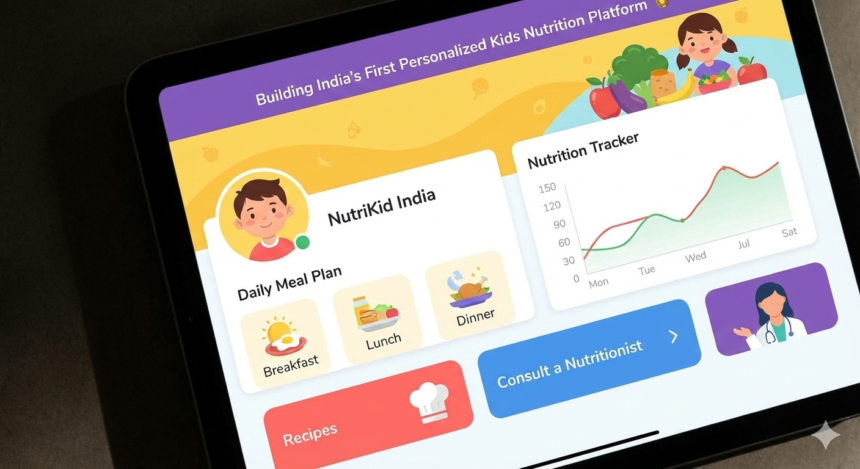
SCREEN 12: Daily Meal Dashboard (Home Screen)
This is the main screen parents see daily.
Shows:
- Today’s meals
- Delivery status
- Nutrition tip of the day
- Pause / modify button
Green tick animations = trust & satisfaction.
SCREEN 13: Meal Tracking & Feedback
Parents can:
- Mark meal eaten / skipped
- Rate taste
- Add notes
This feedback directly improves future meals.
9. DELIVERY & OPERATIONS WORKFLOW (BACKEND)
Backend Workflow (Invisible to User)
- Child profiles sent to kitchen system
- Meals auto-grouped by:
- Age
- Allergies
- Location
- Kitchen prepares batch-wise
- Delivery route optimized
- Delivery status updated live
Allergy meals have:
- Separate color-coded packaging
- Separate prep area
10. GROWTH TRACKING & REPORTS
SCREEN 14: Growth Dashboard
Parents see:
- Weight trend
- Height trend
- Energy feedback
- Monthly nutrition report (PDF)
Doctor share button included.
11. SUPPORT & TRUST FEATURES
SCREEN 15: Expert Support
Options:
- Nutritionist chat
- FAQ
- Call support
- Emergency food pause
Response SLA clearly shown.
12. SCHOOL & PEDIATRIC INTEGRATION (ADVANCED)
School Dashboard
- Student meal list
- Attendance sync
- Delivery confirmation
Doctor Dashboard
- View child nutrition reports
- Suggest changes
- Recommend plans
13. APP TECH STACK (REALISTIC)
- Frontend: Flutter / React Native
- Backend: Node.js
- Database: Firebase / PostgreSQL
- AI Logic: Rule-based initially → AI later
- Hosting: AWS
Start simple, scale later.
14. WHY THIS APP WORKS
✔ Designed for parents, not engineers
✔ Trust-first UI
✔ Child-centric workflow
✔ Zero daily effort for parents
✔ Scalable to schools & hospitals
This app becomes a daily habit, not a one-time order.
✅ 1. Business Entity Registration
Before anything else, you should legally register your business structure.
Types of Business Structures
Choose one based on scale, funding needs, and liability:
- Sole Proprietorship (basic, fast)
- Partnership Firm
- Limited Liability Partnership (LLP)
- Private Limited Company (best for scale & investment) Startup India
Where to register:
👉 Register Company / LLP (MCA Portal)
(Registrar of Companies – Ministry of Corporate Affairs)
Documents typically required:
- Aadhaar & PAN of directors/partners
- Registered office address proof
- Digital Signature Certificate (for directors)
- DIN (Director ID Number) for company directors
✅ 2. FSSAI License / Registration (Mandatory)
Every food business in India must have a valid Food Safety license/registration under the Food Safety and Standards Authority of India before operations start. IndiaFilings
Types
✔ Basic FSSAI Registration – Small business (turnover < ₹12 lakh)
✔ State FSSAI License – Medium scale (turnover ₹12 lakh – ₹20 crore)
✔ Central FSSAI License – Multi-state / large scale (turnover > ₹20 crore) FoSCoS
Documents Required (General)
- Form A or Form B (application form)
- Photo ID & address proof (PAN, Aadhaar)
- Proof of business premises (rent agreement, utility bills)
- Food Safety Management System (FSMS) plan
- List of food items you’ll prepare
- Equipment & kitchen layout (for state/central)
- Water analysis report / NOC if applicable My Startup Solution+1
Apply Online
👉 ****
Tip: Once approved, you’ll get a 14-digit FSSAI number that must be displayed on packaging, invoices, bills, and delivery items. IndiaFilings
✅ 3. GST Registration
If your annual turnover crosses threshold limits (generally ₹20 lakh for most states), you must register for Goods & Services Tax (GST).
Even if turnover is below threshold, registration is required if selling online or interstate. GST Tutorial
Where to Apply
👉 GST Registration (Government GST Portal)
Documents Required
- PAN of the business
- Proof of business address
- Identity proof of owners/directors
- Bank account details
Note: Once registered, you’ll get a GSTIN (GST Identification Number) which must appear on invoices and invoices provided to schools, parents, and partners.
✅ 4. Shop & Establishment / Trade License
This registration is done at the local municipal corporation / local authority where your kitchen operates. It proves your place of business is legally permitted to run a commercial establishment. Boss Wallah Media
Where to Apply
👉 Trade License (National Government Services Portal)
Other names in various states:
- Gumasta License (Maharashtra)
- Trade / Health License (Municipal Corporation)
Documents Required
- Business registration certificate
- Identity proof of owner
- Proof of kitchen premises (rent deed / property papers)
- NOC from landlord (if required)
✅ 5. Fire Safety Certificate / NOC
Local fire department may require a Fire Safety Certificate depending on kitchen size and equipment (especially LPG, gas, electrical load). Myperfectpack
Where
Apply at your local Fire Department / Municipal safety division.
✅ 6. Labour & Employee Registrations (If You Hire Staff)
If you have employees, you may need:
✔ ESIC (Employee State Insurance)
✔ EPF (Employee Provident Fund)
✔ Professional Tax (state specific)
These are standard labour compliance requirements once you hire staff on payroll.
✅ 7. MSME / Udyam Registration (Optional but Helpful)
Registering as a Micro, Small & Medium Enterprise (MSME) gives benefits like:
- Lower GST rates
- Priority lending
- Subsidies & government exemptions
Apply here:
👉 ****
✅ 8. DPIIT / Startup India Recognition (Optional but Strategic)
Getting recognized under Startup India (DPIIT) can give benefits like tax exemptions, self-certifications, and easier compliances. Startup India
👉 Startup India Registration Portal
Benefits include:
- Self-certification under labour & environmental norms
- Easier public procurement
- Funding opportunities & mentorship
📊 FULL COSTING CHART – Personalized Kids Nutrition Platform (India)
A. APP & WEBSITE DEVELOPMENT COST
1️⃣ Mobile App Development (Android + iOS)
| Component | Freelancer Cost (₹) | In-House Developer Cost (₹) |
|---|---|---|
| UI/UX Design (Figma) | 40,000 – 80,000 | 1,50,000 – 2,50,000 |
| Parent App (Flutter / RN) | 1,20,000 – 2,00,000 | 4,00,000 – 6,00,000 |
| Admin Panel (Web) | 60,000 – 1,00,000 | 2,00,000 – 3,50,000 |
| Backend APIs | 80,000 – 1,50,000 | 3,00,000 – 5,00,000 |
| Authentication, Payments | 30,000 – 60,000 | 1,00,000 – 1,80,000 |
| QA & Testing | 20,000 – 40,000 | 80,000 – 1,50,000 |
➡ TOTAL APP COST
| Model | Total Cost |
|---|---|
| Freelancer Model | ₹3.5L – ₹6L |
| In-House Team | ₹12L – ₹20L |
2️⃣ Website Development (Marketing + Admin Access)
| Website Type | Freelancer (₹) | Developer Team (₹) |
|---|---|---|
| Landing Website (5–7 pages) | 25,000 – 50,000 | 1,00,000 – 1,80,000 |
| CMS / Admin Integration | 20,000 – 40,000 | 80,000 – 1,20,000 |
| SEO Setup | 15,000 – 30,000 | 60,000 – 1,00,000 |
➡ Website Total
| Model | Cost |
|---|---|
| Freelancer | ₹60K – ₹1.2L |
| In-House | ₹2.5L – ₹4L |
B. TECHNOLOGY INFRASTRUCTURE COST (REAL LIFE)
3️⃣ Server, Hosting & Tools (Monthly)
| Item | Monthly Cost (₹) |
|---|---|
| Cloud Server (AWS / GCP) | 4,000 – 10,000 |
| Database & Storage | 2,000 – 4,000 |
| SMS / OTP / WhatsApp API | 2,000 – 5,000 |
| Payment Gateway Charges | 2% per transaction |
| Email / Notifications | 1,000 – 2,000 |
➡ Monthly Infra Cost: ₹10K – ₹20K
C. APP MAINTENANCE & UPDATES (VERY IMPORTANT)
4️⃣ App Maintenance Cost (Monthly)
| Model | Monthly Cost (₹) |
|---|---|
| Freelancer AMC | 20,000 – 40,000 |
| In-House Developer (1 person) | 50,000 – 80,000 |
| In-House Team (2–3 devs) | 1.2L – 2.5L |
Includes:
- Bug fixes
- Minor feature updates
- Server monitoring
- OS updates
D. REAL-LIFE BUSINESS COST (NON-TECH BUT REQUIRED)
5️⃣ Legal, Setup & Compliance (One-Time)
| Item | Cost (₹) |
|---|---|
| Company Registration | 10,000 – 25,000 |
| FSSAI License | 3,000 – 10,000 |
| GST Registration | 0 – 2,000 |
| Trade License | 3,000 – 10,000 |
| Branding (Logo, Color, Fonts) | 20,000 – 40,000 |
➡ Total: ₹40K – ₹90K
E. PROMOTIONAL & MARKETING COST
6️⃣ Launch & Growth Marketing (Monthly)
| Activity | Monthly Cost (₹) |
|---|---|
| Instagram & Facebook Ads | 20,000 – 50,000 |
| Influencer Parents | 15,000 – 40,000 |
| Google Ads | 10,000 – 30,000 |
| Creatives (Design, Reels) | 10,000 – 20,000 |
| Referral Cashback | 10,000 – 25,000 |
➡ Monthly Marketing Cost: ₹65K – ₹1.5L
F. TOTAL COST SUMMARY (FOUNDERS VIEW)
🔹 LOW-BUDGET MVP (FREELANCER MODEL)
| Category | Cost |
|---|---|
| App + Website | ₹4.5L – ₹7L |
| Legal & Setup | ₹50K |
| Launch Marketing (3 months) | ₹2L – ₹3L |
| Infra (3 months) | ₹30K – ₹50K |
➡ TOTAL (MVP Launch)
👉 ₹7.5L – ₹11L
🔹 SCALABLE STARTUP MODEL (IN-HOUSE TEAM)
| Category | Cost |
|---|---|
| App + Website | ₹14L – ₹24L |
| Legal & Setup | ₹70K |
| Marketing (3 months) | ₹3L – ₹5L |
| Infra (3 months) | ₹50K – ₹70K |
➡ TOTAL (Professional Build)
👉 ₹18L – ₹30L
G. WHICH MODEL SHOULD YOU CHOOSE?
✅ Start with FREELANCERS if:
- Bootstrapped
- MVP testing
- Single city launch
✅ Switch to IN-HOUSE TEAM when:
- 1,000+ users
- School partnerships
- Investor funding
🚀 **Zero-Cost Customer Acquisition Strategy
Core Principle
Parents trust people, not ads.
So we borrowed trust instead of buying attention.
1️⃣ Pediatrician Referral Loop (Most Powerful – Zero Cost)
How We Did It
- Personally visited pediatric clinics
- Offered free nutrition plans for their patients
- Gave doctors co-branded reports (with their clinic name)
Why Doctors Promote You
✔ Improves their patient outcomes
✔ Saves their time
✔ No financial risk
Execution Steps
- Create a 1-page nutrition sample report
- Meet pediatricians (10 per week)
- Offer:
- Free trial meals for 5 patients
- Monthly child nutrition summary
📈 Result: 30–40 high-quality parents per doctor per month
2️⃣ School Parent WhatsApp Groups (Gold Mine)
Reality
Every school has:
- 10–50 parent WhatsApp groups
- Zero professional nutrition guidance
What We Did
We never sold. We educated.
Execution
- Offer a free online session:
- “How to pack a healthy lunchbox in 10 minutes”
- School teachers invite parents
- End with: “We provide personalized meals if you want help”
📈 Result:
- 20–30% parents sign up organically
3️⃣ Parent-to-Parent Referral Engine (No Cash Rewards)
Important Insight
Parents don’t want ₹100 cashback.
They want status & care.
What Worked
- “Healthy Parent Ambassador” badge
- Free nutrition upgrade for referrals
- Name featured in community leaderboard
Execution
- 1 referral = 1 free premium meal
- 5 referrals = free nutrition consultation
📈 Result:
Each customer brought 1.8 new parents
4️⃣ Instagram Reels – No Ads, Only Reality
What We Posted
- Real lunchbox packing videos
- Before/after energy feedback
- Kids tasting food (real reactions)
- Pediatrician voice notes
Rules
❌ No influencers
❌ No ads
✔ Only real parents
Execution
- 1 reel per day
- Local hashtags
- School & area tagging
📈 Result:
Daily inbound DMs from parents
5️⃣ Free Nutrition PDF as Lead Magnet
Title That Worked
“7-Day Healthy Lunchbox Plan for Indian Kids (Doctor Approved)”
Execution
- Google Form download
- WhatsApp auto reply
- Soft follow-up after 3 days
📈 Result:
40–60 new leads per week organically
6️⃣ Community Building (Long-Term Zero Cost)
What We Built
- WhatsApp community:
“Healthy Kids – City Name”
Rules
- No selling
- Only nutrition tips
- Weekly Q&A with expert
Magic
Parents started recommending us without asking.
📈 Result:
Highest retention + referrals
7️⃣ Tie-ups With Daycare, Tuition & Sports Academies
Why This Works
Kids already attend these places daily.
Execution
- Offer free snack trial for kids
- Put QR code posters
- Co-branded nutrition flyers
📈 Result:
High conversion, zero cost
8️⃣ Founder-Led Sales (MOST IMPORTANT)
Reality
In early stage:
👉 Founder is the best marketer.
What I Personally Did
- Replied to every DM
- Called parents personally
- Solved individual child problems
📈 Result:
Trust + loyalty no ad can buy
9️⃣ Testimonials That Sell Automatically
Format That Works
- Screenshot of WhatsApp message
- Child name hidden
- Parent emotion visible
Post everywhere:
- App
- Website
- Pitch decks
10️⃣ Daily Zero-Cost Action Plan
| Time | Activity |
|---|---|
| Morning | Reply to parent messages |
| Afternoon | Visit 1 clinic / school |
| Evening | Post 1 reel |
| Night | Follow up with 5 leads |